In this review
XM at a glance
XM lists MT4, MT5 and the XM App, alongside a learning centre, live education and market research resources. These provide several ways to explore its offering, although the account and product selection shown to you can vary by region.
Our take
XM may suit a shortlist built around MetaTrader and access to learning material. Treat education as a way to understand the product, then compare the actual account costs and local terms separately.
- Platforms to compare
- MT4, MT5, XM App
- Account focus
- Compare the local XM account range
- Research starting point
- Readers who want MetaTrader alongside educational resources.
- Before you register
- Confirm your country, legal entity and current terms
Keep in mind: A strong learning library cannot eliminate the risks of leveraged products. Check the local account specification rather than assuming every XM offering is available everywhere.
Explore the broker’s current offering: Visit XM through our affiliate link ↗. Offers and terms may change.
XM pros and cons
What stands out
- MT4 and MT5 are both listed in the platform offering.
- Education and market research resources can support your study.
- The XM App provides an additional mobile route.
What to weigh up
- Products and account conditions are not identical in every region.
- A commission-free account can still carry spreads and other costs.
- Promotional conditions should not replace a review of account terms.
FTB’s assessment of the published offering. These points are not an account-performance test or a guarantee of suitability.
Platforms, apps and trading tools
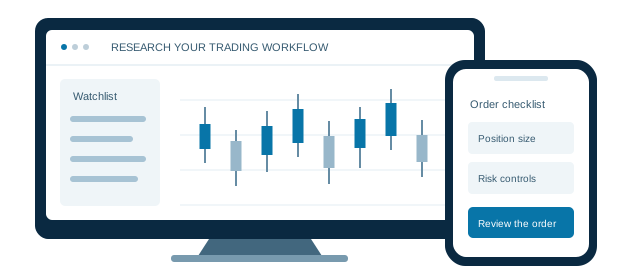
The best interface for your research is the one you can understand and use consistently. Compare the functions you need on each device, including how to review open positions and change an order.
MetaTrader 4
Consider the MT4 workflow if you already use compatible tools. Confirm that your preferred instruments are available on that account.
MetaTrader 5
Compare the instrument list and platform functions with MT4 before selecting an account.
XM App
Check the features offered in the app for your region, including how you view positions and account information.
Education & research
Use the learning centre and market resources as study inputs. Separate an educational example from a decision to trade.
To explore platform options, Visit XM through our affiliate link ↗. Review the available platforms after visiting the broker.
One shortlist.
A clearer decision.
Put platform access, account costs and local eligibility next to one another before choosing a broker.
Open the broker comparison →
trading setup.
Compare accounts. Explore the platforms.
Accounts, fees and trading costs
XM advertises multiple account features on its regional websites. Compare the complete local pricing schedule instead of treating a headline spread or “zero commission” label as the total cost.
| Cost area | What varies | What to check |
|---|---|---|
| Spread | Check the account range | Compare the instrument you trade, not only the lowest spread advertised on the site. |
| Commission | Account-specific | Confirm whether your chosen instrument and account carry an explicit commission. |
| Overnight holding | Review swaps | Read current long and short swap terms and any special eligibility conditions. |
| Other charges | Check local terms | Review funding, conversion and inactivity provisions in the documents that apply to you. |
A practical comparison: write down one instrument, a fixed trade size and a holding period. Ask each broker for the applicable spread, commission and swap terms for that scenario. Check currency conversions and non-trading charges separately.
To check current accounts and fees, Visit XM through our affiliate link ↗. Read the applicable terms on the broker’s website before registering.
Regulation, country access and risk
A brand name is not the same as the legal entity on your account agreement. Before sending funds, identify the company that would serve you and verify its permissions with the relevant regulator. Do not assume that protection offered by one company in a group applies to every account.
- Match the entityRead the legal name on the registration page and client agreement. Check the regulator’s register directly, including the approved website address.
- Understand the protectionsCheck how client money is handled, whether any compensation scheme applies, and the rules for complaints and negative balances.
- Read the product riskLeverage magnifies both gains and losses. A stop-loss order may execute at a different price during a gap or fast market.
Local account documents take precedence over a general group description. Read the broker’s applicable client agreement and risk disclosures before opening an account.
Before you open your XM account
- Check eligibility and documentsConfirm that residents of your country are accepted. Read the account agreement and find out which identity and address documents are required.
- Practise the complete workflowIf a suitable demo is available, practise placing, modifying and closing an order. Check position size and margin before each practice trade.
- Review funding and withdrawalsCheck the payment method, account currency, processing rules and any fees. Use only the official broker account area.
- Set your own limitsDecide whether the product fits your knowledge and financial circumstances. Do not fund an account with money you cannot afford to lose.
Continue your XM research
Visit the broker to check current accounts, local access and official terms.
Visit XMOur review approach
What this review covers
This is a source-based review of published platform, account and cost information. FTB has not conducted a live funded-account execution or withdrawal test for this page. We do not present broker marketing claims as independently measured results.
Our commentary explains practical trade-offs. Product access and terms can change by country, entity and account. Featured partner placements are commercial promotions, and advertisements are labelled.
Information reviewed 20 September 2026. Review the broker’s current local terms before deciding.
XM: common questions
Does XM offer learning resources?
XM lists a learning centre, live education and market research resources. Check their availability and language options on your local XM website; educational material is not a prediction of future returns.
Is XM available in my country?
Check the broker’s current registration and legal pages for your country of residence. A global website or a review score does not confirm local eligibility or the legal entity that would serve you.
Does visiting through FTB change what I should check?
No. The broker sets the account terms. FTB may receive compensation through affiliate links, so review the official fees, eligibility and risk information before deciding whether to register.
Is a demo account enough to judge a broker?
A demo can help you learn the platform, but it does not establish live execution quality, withdrawal service or future trading results. Treat it as one part of your research.
Last source review: 20 September 2026. Broker logos belong to their respective owners.
 FxPro
FxPro FBS
FBS FXTM
FXTM