
In this review
FBS at a glance
FBS lists MT4 and MT5, with desktop, mobile and web access for MT5. Its published MT5 overview describes charting tools, an economic calendar and Expert Advisors. Funding is managed through the FBS account area or app rather than through the chart itself.
Our take
FBS is worth investigating if you want a MetaTrader-centred setup. Use a demo to learn the interface, then check the live account’s pricing, margin settings and funding rules before moving further.
- Platforms to compare
- MT4, MT5; desktop, mobile and web
- Account focus
- Check current FBS trading conditions
- Research starting point
- Readers researching a MetaTrader workflow across devices.
- Before you register
- Confirm your country, legal entity and current terms
Keep in mind: A familiar platform is only one part of the choice. Confirm the FBS entity, instrument specification and account conditions that would apply to your country.
Explore the broker’s current offering: Visit FBS through our affiliate link ↗. Offers and terms may change.
FBS pros and cons
What stands out
- MT4 and MT5 are listed by the broker.
- MT5 offers desktop, mobile and browser access.
- Charting and calendar tools support a structured research workflow.
What to weigh up
- Tools and account access may differ across devices or regions.
- Leverage can make small market moves costly.
- Demo trading cannot establish future live execution or profitability.
FTB’s assessment of the published offering. These points are not an account-performance test or a guarantee of suitability.
Platforms, apps and trading tools
The best interface for your research is the one you can understand and use consistently. Compare the functions you need on each device, including how to review open positions and change an order.
Desktop platform
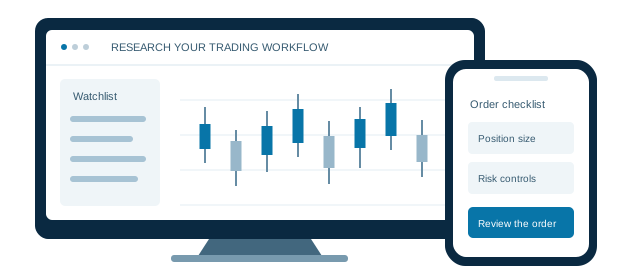
Use the desktop environment to explore charts, indicators and order settings. Check the correct broker server when signing in.
WebTrader
A browser route can be convenient when installing software is not practical. Compare its functions with the desktop version.
Mobile access
Practise finding positions, modifying orders and checking margin on your phone before relying on it for live management.
Analysis tools
FBS’s MT5 overview includes an economic calendar and automated trading tools. Learn what each tool does before using it in a strategy.
To explore platform options, Visit FBS through our affiliate link ↗. Review the available platforms after visiting the broker.
One shortlist.
A clearer decision.
Put platform access, account costs and local eligibility next to one another before choosing a broker.
Open the broker comparison →
trading setup.
Compare accounts. Explore the platforms.
Accounts, fees and trading costs
Read the current FBS trading conditions for the products you want to use. Published minimums are not a forecast of the spread, margin or execution you will experience on a particular order.
| Cost area | What varies | What to check |
|---|---|---|
| Spread | Check each instrument | Compare bid and ask prices at a realistic trading time and on the correct live account. |
| Commission | Verify applicable terms | Do not infer the fee model from the platform name alone. |
| Overnight holding | Review swap terms | Check both trade directions and the relevant rollover schedule. |
| Deposits & withdrawals | Check your method | Confirm the supported currency, method, limits, charges and verification requirements. |
A practical comparison: write down one instrument, a fixed trade size and a holding period. Ask each broker for the applicable spread, commission and swap terms for that scenario. Check currency conversions and non-trading charges separately.
To check current accounts and fees, Visit FBS through our affiliate link ↗. Read the applicable terms on the broker’s website before registering.
Regulation, country access and risk
A brand name is not the same as the legal entity on your account agreement. Before sending funds, identify the company that would serve you and verify its permissions with the relevant regulator. Do not assume that protection offered by one company in a group applies to every account.
- Match the entityRead the legal name on the registration page and client agreement. Check the regulator’s register directly, including the approved website address.
- Understand the protectionsCheck how client money is handled, whether any compensation scheme applies, and the rules for complaints and negative balances.
- Read the product riskLeverage magnifies both gains and losses. A stop-loss order may execute at a different price during a gap or fast market.
Local account documents take precedence over a general group description. Read the broker’s applicable client agreement and risk disclosures before opening an account.
Before you open your FBS account
- Check eligibility and documentsConfirm that residents of your country are accepted. Read the account agreement and find out which identity and address documents are required.
- Practise the complete workflowIf a suitable demo is available, practise placing, modifying and closing an order. Check position size and margin before each practice trade.
- Review funding and withdrawalsCheck the payment method, account currency, processing rules and any fees. Use only the official broker account area.
- Set your own limitsDecide whether the product fits your knowledge and financial circumstances. Do not fund an account with money you cannot afford to lose.
Continue your FBS research
Visit the broker to check current accounts, local access and official terms.
Visit FBSOur review approach
What this review covers
This is a source-based review of published platform, account and cost information. FTB has not conducted a live funded-account execution or withdrawal test for this page. We do not present broker marketing claims as independently measured results.
Our commentary explains practical trade-offs. Product access and terms can change by country, entity and account. Featured partner placements are commercial promotions, and advertisements are labelled.
Information reviewed 20 September 2026. Review the broker’s current local terms before deciding.
FBS: common questions
Can I access FBS MT5 in a browser?
FBS lists a WebTrader route alongside desktop and mobile MT5 downloads. Check account compatibility and use the official broker links to reach the correct service.
Is FBS available in my country?
Check the broker’s current registration and legal pages for your country of residence. A global website or a review score does not confirm local eligibility or the legal entity that would serve you.
Does visiting through FTB change what I should check?
No. The broker sets the account terms. FTB may receive compensation through affiliate links, so review the official fees, eligibility and risk information before deciding whether to register.
Is a demo account enough to judge a broker?
A demo can help you learn the platform, but it does not establish live execution quality, withdrawal service or future trading results. Treat it as one part of your research.
Last source review: 20 September 2026. Broker logos belong to their respective owners.
 XM
XM FxPro
FxPro FXTM
FXTM